TLT Con Flyer come as you are 2020 half page
Teaching and Learning Team

Three weeks ago, I decided to start running. Without my daily commute and general walking from building to building at the college, my body was craving movement. I tried some Youtube aerobics (remember Billy Blanks and Tae Bo) and just got angry at the lack of space in my house and the complicated footwork. I decided to venture outside for a “ten minute blast” around the neighborhood. “I can handle ten minutes,” I thought, but my first timed round was excruciating.
Week one of running was just silly and hard, mostly because my body was in shock, but also because I just tried to run without stretching or looking into training. I thought, “I’ll just run around the block for a few ten-minute chunks to help with energy and stamina.” Ahhhh, wilderness! Thankfully I got connected with Jill Whisonant (photo below), a mentor at Summerville’s Fleet Feet, and she’s helped me set goals to safely begin running. Now I look forward to my morning runs without dread; I can honestly say they help a lot right now.

Two years back, Jill began taking her running more seriously and joined Fleet Feet’s 10K program to get more involved with runners locally. “[Fleet Feet is] a great resource no matter what your running experience,” explains Whisonant. “They just create a fun environment where people grow in the art of running and staying safe.”
Over social distancing, Jill gave me a pep-talk and to-do list about how to safely start running. Here’s what she had to say:
1) Start where you are. Make sure you have shoes that don’t hurt your feet. ***Right now, you are able to purchase from Fleet Feet online and they are allowed to do in-store fittings still as well (***but you can also buy shoes online from your preferred store). It’s obviously at the customer’s comfort level, but they can do fittings outside or just social distance in the store, using extra precautions.

2) The thing that scares most people off [from running] is their breath. Initially, it’s not inherently easy to control your breath when your heart feels like it is beating out of your chest, so you have to find the pace that allows you to keep moving forward. And sometimes, that’s walking before you build up to the run.
3) If you start running without a plan, chances are you will get frustrated and quit. Take some time to understand where you are, and find the path that will get you to where you want to go. A great way to start is with intervals. This will help you find that comfortable pace I was referred to earlier. Start with a 5-minute run/ 5-minute walk. If that’s too easy, increase your run time and decrease your walk time until you find what challenges you Try 6/4, 7/3 or even 8/2. Once you find that interval that is challenging but doable, start to increase the run time and decrease the walk time weekly. Start tracking distance. Run a mile, walk 5 minutes, run a half mile, walk 5 minutes, etc. Start with 30-minute blocks and go from there. You’ll eventually find that you hit a comfortable pace/stride and can go for miles and miles and miles.

4) Warm up before you run. Do some jogging in place, high knees, butt kicks and toy soldiers (see video below if the only “Toy Soldiers” you know is that song by Martika) to get warm.
5) Do some big holding stretches when you’re done running – that’s when you’ll need to keep those muscles loose so they don’t tighten up on you as they cool down.
6) Depending on when you run will depend on how and when you eat. Everyone is different and this is one of those things you may have to learn about yourself the hard way. For runs that will be 45 minutes or longer, a light breakfast like a smoothie, some oatmeal or even a couple of eggs – nothing too much – should be enough to keep you going but not make you feel heavy.

7) Staying hydrated will become part of your daily norm…it’s something you need to pay attention to all day, not just when you are running. Your body NEEDS water and when you start running, it needs it more. Set a timer on your phone so you remember to drink every hour. Pay attention to the color of your urine…it should be a pale yellow. That means you are well hydrated. Plan on bringing something to help you stay hydrated on runs lasting longer than an hour. You will need to replenish what your body is sweating out.

8) I think it’s important to note that not everyone loves running and that’s ok too. Find something that you enjoy doing, so that you are able to keep yourself accountable to the activity. It doesn’t matter how far or fast anyone else goes. This is your journey, measure your progress and cheer for your wins! For some people, running comes naturally, for others, like me, it doesn’t. I was lucky enough to find a tribe of people that encouraged me every step of the way, but it took me a l-o-n-g time to understand your level of dedication is what will determine your final outcomes.
For online motivation, Jill suggests following Fleet Feet. “They have a lot of virtual running activities that are helping to keep people active.” She also follows a group on Facebook called “Run Like a Girl.” “People will post questions or their own personal triumphs,” Whisonant says. “It’s fun for me to follow. Finding people that have the same enjoyment, struggles, and passion will help you keep your head in the running game.”


The Professional Learning Club (PLC) applications are now open and will close on July 15th so APPLY TODAY!
A Professional Learning Club is a group of faculty that meets to collaboratively reflect on and improve their teaching practices. These learning clubs will consist of 4-6 faculty who will take the year to explore, implement, and reflect on specific, empirically-grounded instructional strategies.
The next round of PLCs take place during the 2019-2020 academic year. The clubs will meet for the first time in late August and then every two weeks after that, throughout the entire academic year. Applications close July 15 so don’t delay!
For a full description of the topics visit PLC Topic Descriptions (2019-2020)

Your Teaching & Learning Team is excited to announce a new professional development opportunity you won’t want to miss. On January 30, 2019, we will launch the Distance Education Extension Program (DEEP for short). This will be a series of online, self-paced mini-courses for faculty who are teaching online and hybrid classes. While the Distance Education Readiness Course provides an introductory survey of pedagogical best practices, DEEP courses will focus on specific themes, allowing faculty to dig deeper into scholarship and praxis.
The best part is DEEP courses are on-demand and self-paced. Facilitated via OAKS, you can participate on your own schedule. Spend a week or spend an entire semester. There are no synchronous elements, required assignments, or grades. You can use the information presented to completely overhaul your teaching practices or you can use a single suggestion to make a small change. However you use these courses is up to you.
To reward you for experimenting with new ideas, you have the option to earn a digital badge for each DEEP course you complete. Completion is determined by consuming all course content and submitting reflection exercises that demonstrate what you’ve learned. These badges can be added to your email signature, website, blog, or even your tenure and promotion materials.

On January 30, 2019, two DEEP courses will launch: “Cultivating a Community of Inquiry” and “Creating a Learner-Centered Syllabus.” Over the summer and into the future, additional courses will become available.
What is “presence” in the context of teaching and learning? As an instructor, you might think of presence as being mindful of the course climate and intentionally fostering a community of learners. One of the strongest factors impacting student retention in online courses is feeling a sense of community as opposed to learning in isolation. Thus, cultivating community your online course makes a huge impact on student learning, engagement, and overall success. So, how do we accomplish this?

One approach is to apply the Community of Inquiry framework. This model describes the interplay between three elements—teaching presence, social presence, and cognitive presence. These types of presence are essential to develop deep and meaningful educational experiences in online learning environments. This course will address these three elements from theoretical and practical perspectives. You will be provided with an overview of the research and get the opportunity to explore practical strategies that can be incorporated into your own classes. Depending on what you create in response to the reflection exercises, this course will take most people 6 – 8 hours to complete. But, what you create and how much time you spend is completely up to you!
What functions do syllabi serve? Common functions faculty cite include serving as a contract, listing required textbooks, detailing policies and procedures, and describing the focus of the course. Less commonly, professors note that the syllabus describes their teaching philosophy, lists resources available to help students succeed, and explains how their course fits into a discipline or broader context.

One important role a syllabus plays that is frequently overlooked by professors is that it sets the tone for the rest of the semester. The syllabus is the initial point of interaction between you and your students and it can create powerful first impressions. Through content, tone, and format, does your syllabus come across as welcoming, conversational, and aesthetically-pleasing? Or, does it seem cold, dictatorial, even infantilizing? Be honest — if you were a student, would you want to read your syllabus?
Based on one of TLT’s most popular workshops, this course will provide an overview of the research on learner-centered syllabi, share best practices in syllabus design, and suggest non-traditional methods of presenting this essential document. Depending on what you create in response to the reflection exercises, this course will take most people 4 – 6 hours to complete. If you are creating a syllabus from scratch, it could take longer. But, what you create and how much time you spend is completely up to you!
No application or sign-up is required. These courses are “on-demand” within OAKS and available to anyone who has already graduated from the Distance Education Readiness Course. After January 30th, you can simply search for the courses on the OAKS homepage and access them whenever you like:

Haven’t taken the DE Readiness Course yet? We encourage you to chat with your department chair about whether online teaching is right for you and for your department. We offer the 7-week, online preparatory course three times per year. Visit the distance education webpage for more information.
Have questions about the Distance Education Extension Program or suggestions for future courses? Please reach out to Jessica at smithjt@cofc.edu

This post was written and submitted by the Office of Research and Grants Administration. If your office or department would like us to share updates, information, and/or resources with faculty, as part of our new holistic development focus, please contact Chris Meshanko.
We all know that applying for grants can be a real pain. We often hear that few people actually enjoy applying for grants, because they perceive that grant applications take up a lot of the time that they could spend on their projects. But, applying for grants is also an important way to get the resources you need to conduct projects. And, there are plenty of grants out there, not only for research projects, but for many other types of projects—such as curriculum development, community outreach and public service, instruction-related projects, equipment, and planning.
The Office of Research and Grants Administration (ORGA), at the College of Charleston, can help you with several steps in your grant application. ORGA assists in finding grants that are specific to your interests and offers support for preparation of your grant application, such as composing a budget and budget justification. Our staff also works to makes sure that the grant application is submitted on time.
Once a grant is awarded, ORGA staff, together with Grants Accountant staff in the Controller’s Office, help manage the grant. In general, ORGA acts as liaison with funding agencies, coordinating everything from the timely submission of financial and technical reports to applying for no-cost extensions and potential supplements. In addition, our office also handles research protections and compliance. Through education and the implementation of federal, state, local, and College of Charleston policies and procedures, ORGA promotes the responsible conduct of research.
So, if you are working on a project, developing a new curriculum, conducting research, or if you have an idea in mind and do not know where to start, come to our office and talk to us about it. We will help you find answers to your questions, and refer you to other faculty or staff who work on projects related to your interests. We are happy to meet with you and to discuss strategies for grant applications.
We also offer a variety of workshops for faculty and students on campus. In the past, we have successfully provided faculty workshops on grant proposal writing and student workshops on research protections and compliance, budgeting, and grant proposal writing. Please feel free to contact us regarding requests for grantsmanship workshops, as well as for other support.



Sound familiar? If so then you aren’t alone.
Not only do some instructors feel this way about online learning, but students do as well. Often they feel isolated, disconnected, and insignificant. These feelings of seclusion can often lead to decreased motivation, attention, and engagement. As part of the online learning process, it is vital to intentionally design elements to make sure that that the human connection isn’t lost in the online learning process.
Humanizing your course involves considering the teaching presence, social presence, and cognitive presence of all participants in order to build community and enhance communication. The ultimate goal of this process is to make online education as personal and individualized as possible while building relationships between your students, the content, and yourself.
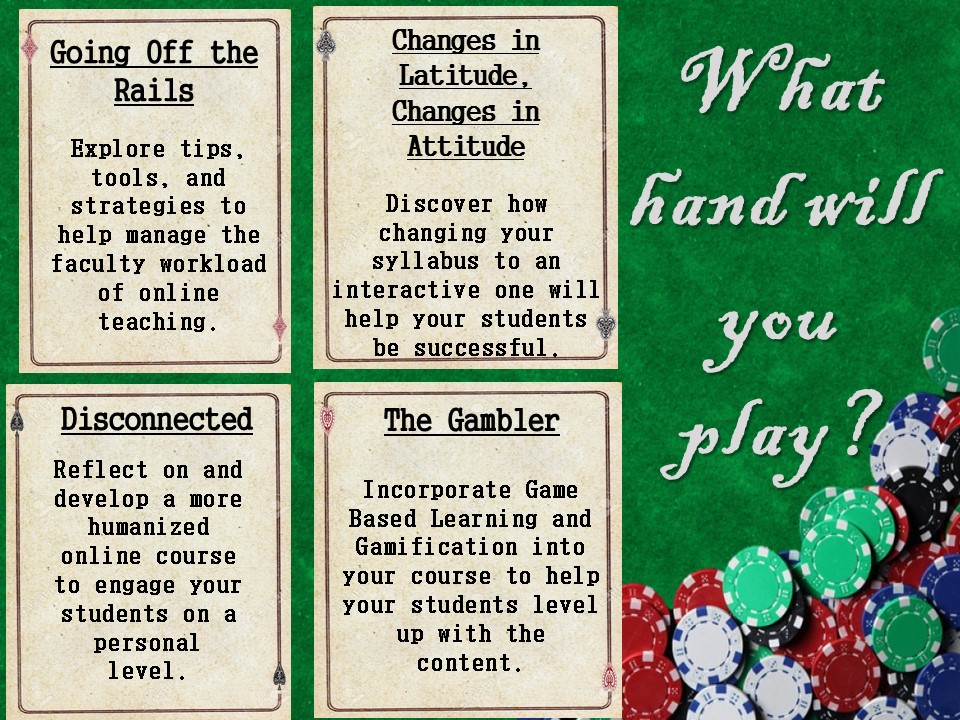
This 3-week long, self-paced session will take you through some strategies that you can use in your online class to make you and your students feel more connected. While this course is held fully online, it does contain three optional synchronous sessions with experts in humanizing online education from around the world!


This week’s Small Teaching Tip is less of a tip and more of an observation and some encouragement. . .
As an instructional technologist, I support faculty’s endeavors to expand their teaching repertoires. Over the past couple of years, I’ve discovered that many faculty are hesitant to try new technologies or teaching strategies.
For some, it’s simply a lack of confidence. During graduate school, most of us were not taught how to teach and so we reproduce the methods we experienced as students. In the United States, we require rigorous training for our K-12 teachers but, strangely, we assume professors will magically know how to teach without such training. For example, when I was a 22-year-old Masters student, I was handed a textbook and class roster and told to “go teach.” Is it any wonder many of us sometimes struggle?
For other faculty, there may also be a fear of losing control or credibility. Exploring new pedagogical approaches or instructional technologies requires patience, flexibility, and persistence. For example, when I first flipped my classroom, it was a disaster. My students were frustrated and I was exhausted. But I learned a lot and didn’t give up. After much trial and error, I’m now happy with my flipped classes and my course evaluations reflect students are, too. But getting to that point required I let go of control and risk damaging my credibility. Not all faculty are willing to do this because we don’t want to be perceived as a novice. After all, we’re expected to be experts. It’s difficult to say “I don’t know” or “this didn’t work out as I planned.”
So if you are hesitant to experiment because you fear failure, chaos, poor teaching evaluations, or just looking like a fool, grant yourself permission to be a beginner. Teaching is a continuous process of learning, growing, and challenging oneself. It’s okay to not know how to do something. It’s okay to feel uncomfortable or awkward. It’s okay to make mistakes. When we try something new, we all start at the beginning.

It’s also important to remember that you don’t have to change every aspect of your teaching in order to improve student learning and engagement. We hope the Small Teaching Tip blog series has made it clear that we can all take small, strategic steps to improve our teaching.
One step you can take is to attend the Teaching, Learning, and Technology Conference on March 7-9, 2017. This conference will feature dozens of faculty-led sessions during which your colleagues will share teaching strategies, best practices, and lessons learned. Be on the look-out for more information about TLT Con in the new year!


Most faculty members have lectured to their students at some point in their careers. In traditional lectures, this means that the instructor speaks while students listen. While some lectures can be dynamic, engaging, and even entertaining, research has shown that student concentration typically drops after 10-15 minutes. With many questions during a traditional lecture being purely rhetorical, there are few opportunities for students to engage with the material or their instructor and classmates. What can you do to be sure that your students are engaged?
Try implementing low risk, high impact strategies such as interactive lecturing. Instead of a traditional hour-long lecture, break the content into several 10-15 minute “chunks.” In between each chunk, incorporate small, structured activities. This can be as simple as asking a question that requires student responses, encouraging students to participate in a brief think-pair-share exercise, or having students complete a one-minute paper. These active learning strategies will re-focus student attention as soon as concentration begins to drop while also giving you the opportunity to assess student comprehension throughout the lecture.
What kind of active learning strategies have you used to enhance your lectures? Please share your tips!
This post is part of a series which will present low risk, high reward teaching ideas. Inspired by James Lang’s book Small Teaching: Everyday Lessons from the Science of Learning, this series will inspire you to implement small but powerful changes to your teaching.


Starting a new semester can be daunting but let us help you with our Start of Semester Checklist! This checklist gives you a list view of important tasks to complete to make sure your semester starts off smoothly, it also tells you how to complete most tasks. Some of the tasks and include: Verifying your course shell has been created, confirming your course start date, enrolling non-students into your course, cross listing, and building course content and student enrollment. Let us make it easier for you, click on our checklist!